NO
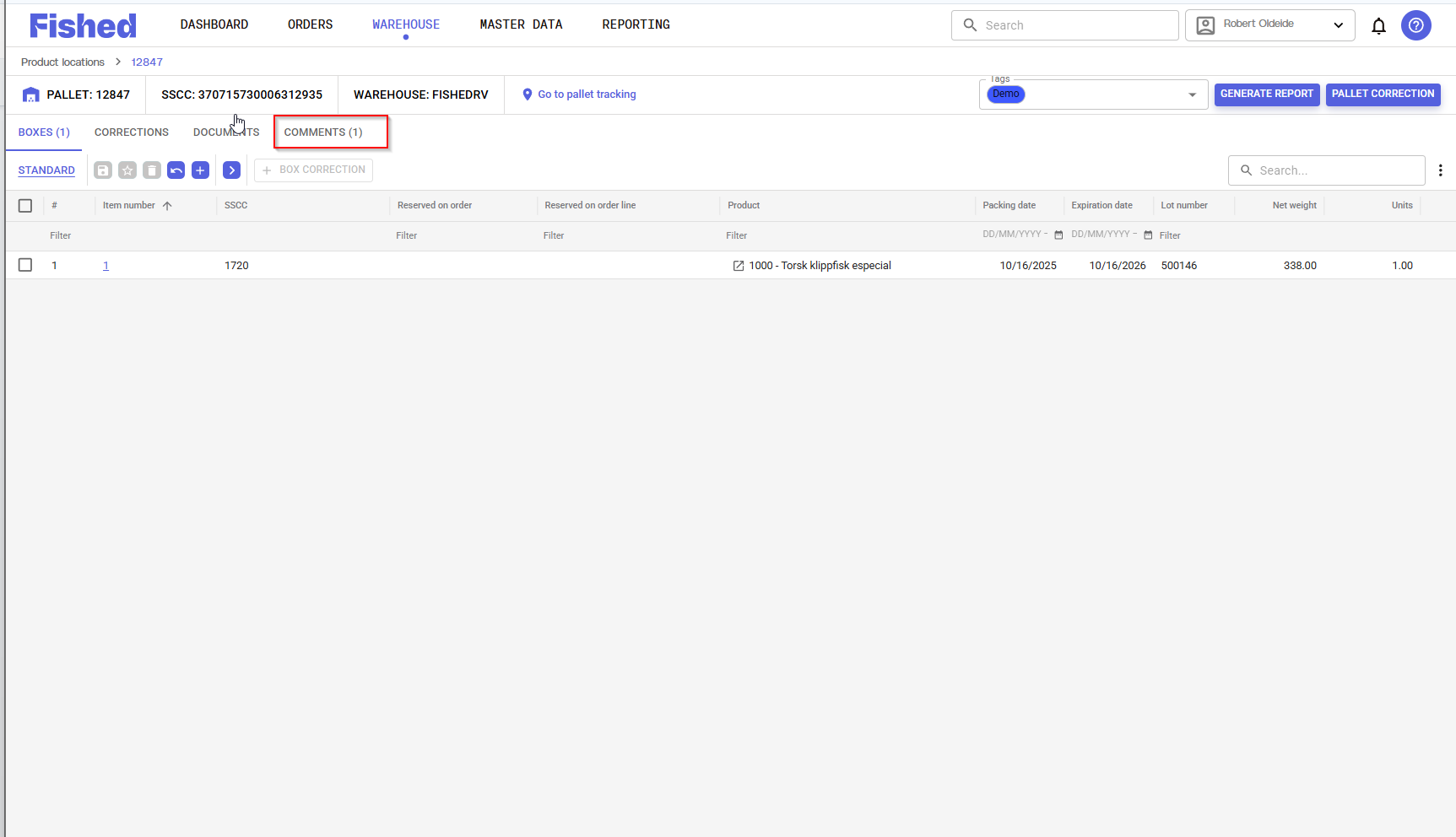
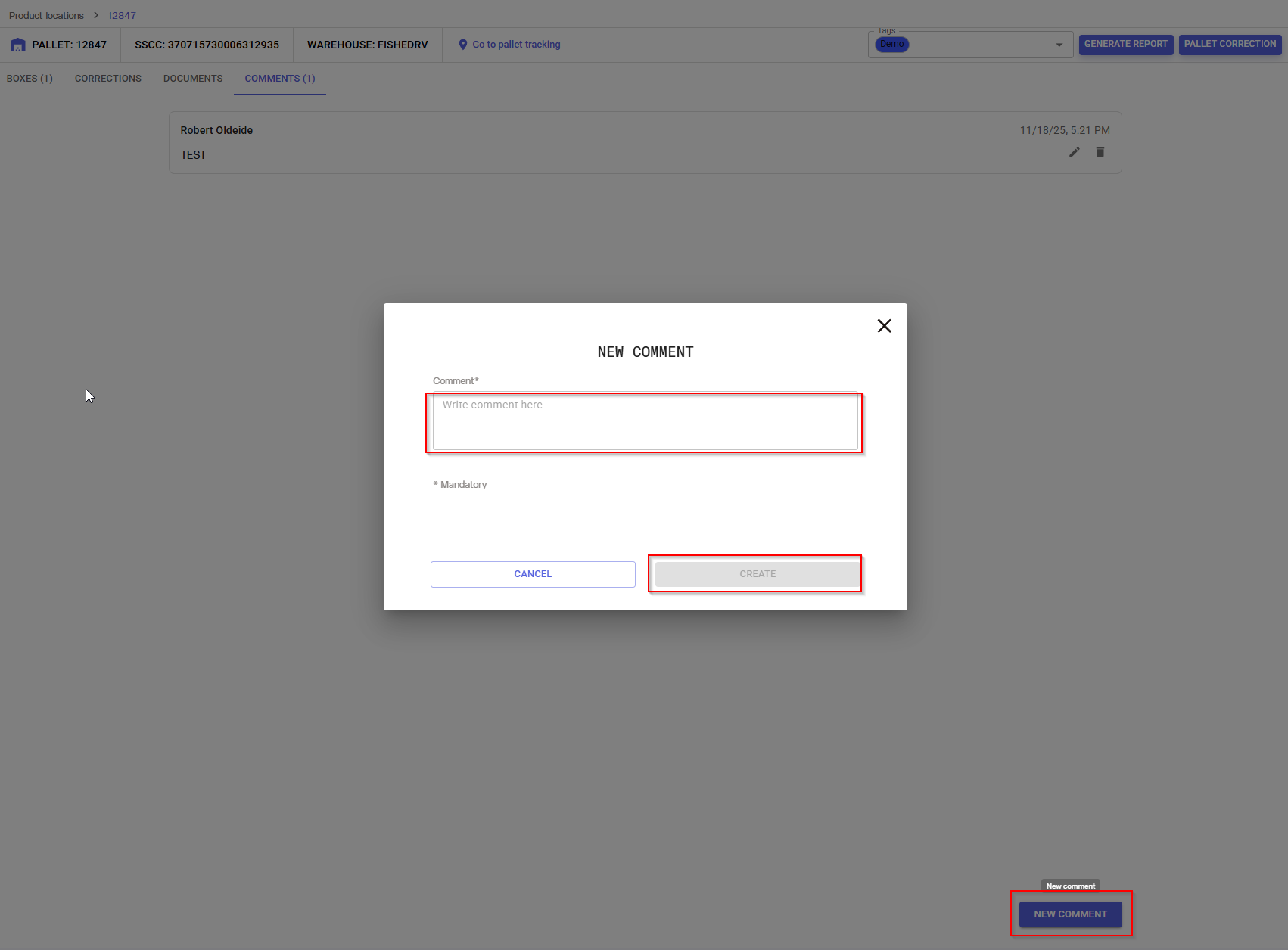
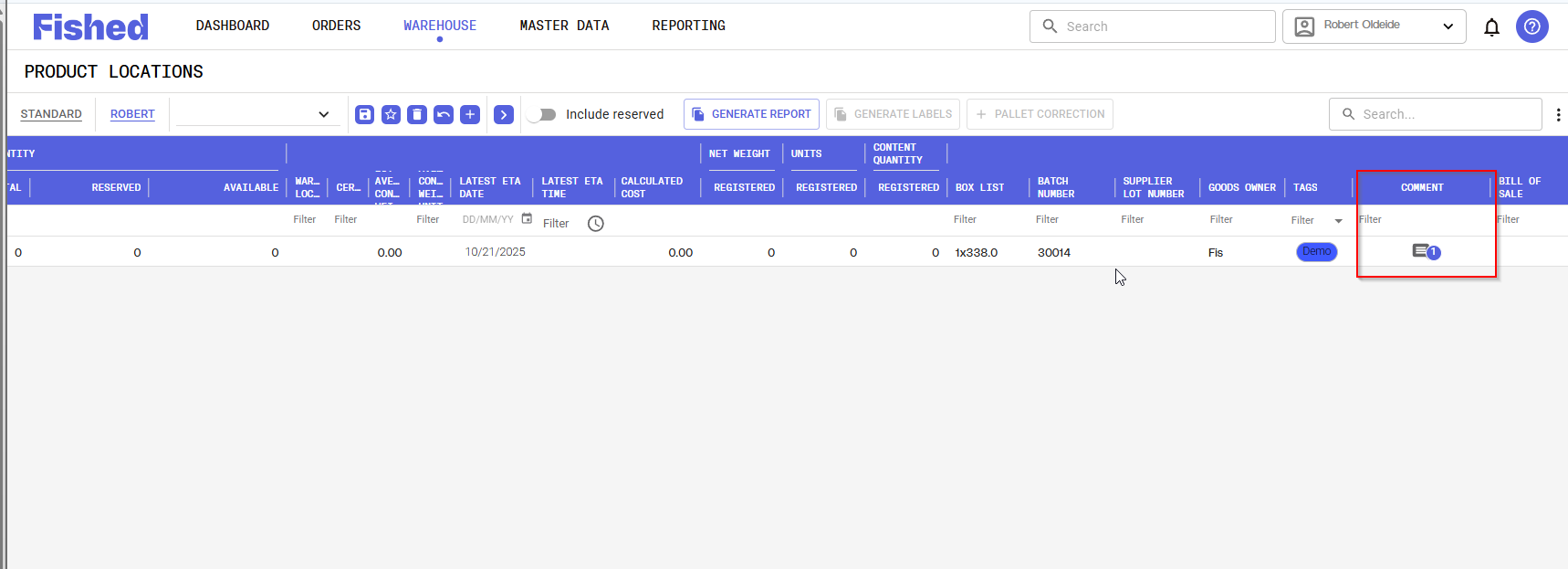
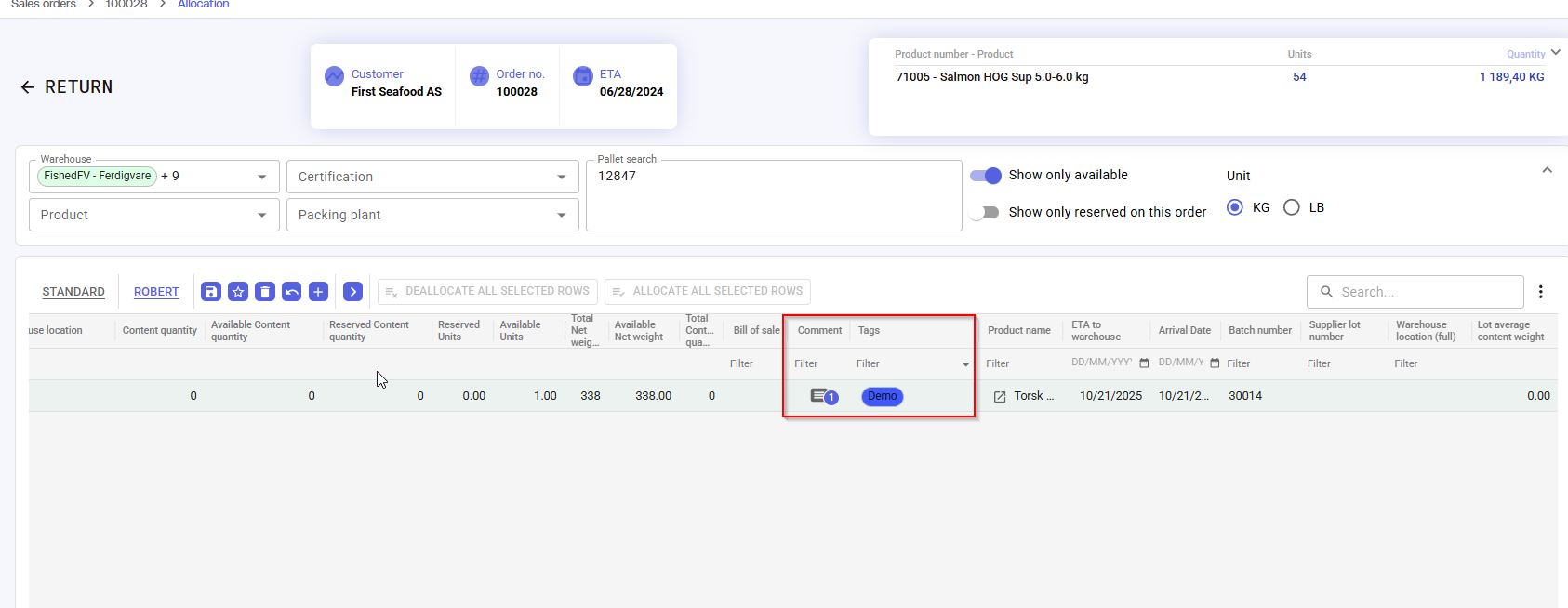
Gå inn på en palle og gå til fanen «Kommentar». Her kan du legge til en ny kommentar. Kommentarene vises i en liste med informasjon om hvem som la den inn, når den ble lagt inn, samt selve kommentaren. Dette vises også i lageroversikten og i plukkingen. Hvis kolonnen ikke vises, gå inn på kolonnevelgeren og velg å ta fram kolonnen i visningen.
EN
Add Comments to a Pallet
Open a pallet and go to the Comments tab. Here, you can add a new comment.
Comments are displayed in a list showing:
- Who added the comment
- When it was added
- The comment text
These comments are also visible in the warehouse overview and during allocation.
If the column is not displayed, open the column selector and enable the column for viewing.
Was this article helpful?
That’s Great!
Thank you for your feedback
Sorry! We couldn't be helpful
Thank you for your feedback
Feedback sent
We appreciate your effort and will try to fix the article